
Category
B2B SaaS for the interior design industry
Scope
Product strategy, UX/UI, full-stack, marketing website, Chrome extension
Timeline
Product development since December 2025
Technology
Next.js 16, React 19, Prisma, Supabase, Stripe, Tailwind
Status
Live at liru.app: Free plan and paid plans
6
stages in the project workflow
1
project portal for the client
4
languages: PL, EN, ES, DE
5
projects on the Free plan
30
days of Pro to get started
01
Problem
An interior designer guides the client through dozens of decisions: style, hundreds of products, prices and deadlines.
Along the way, decisions, files and prices get scattered across several tools at once:
- Excel with the cost estimate
- PDF with the presentation
- folders on a drive
The client gets lost in versions and doesn’t know what the project is waiting for. Instead of designing, the designer copies products from online stores, chases approvals and reconstructs who approved what.
The target users are independent designers and small studios: no IT department and no time to roll out complex systems.
02
Solution
One project in Liru, one link for the client.
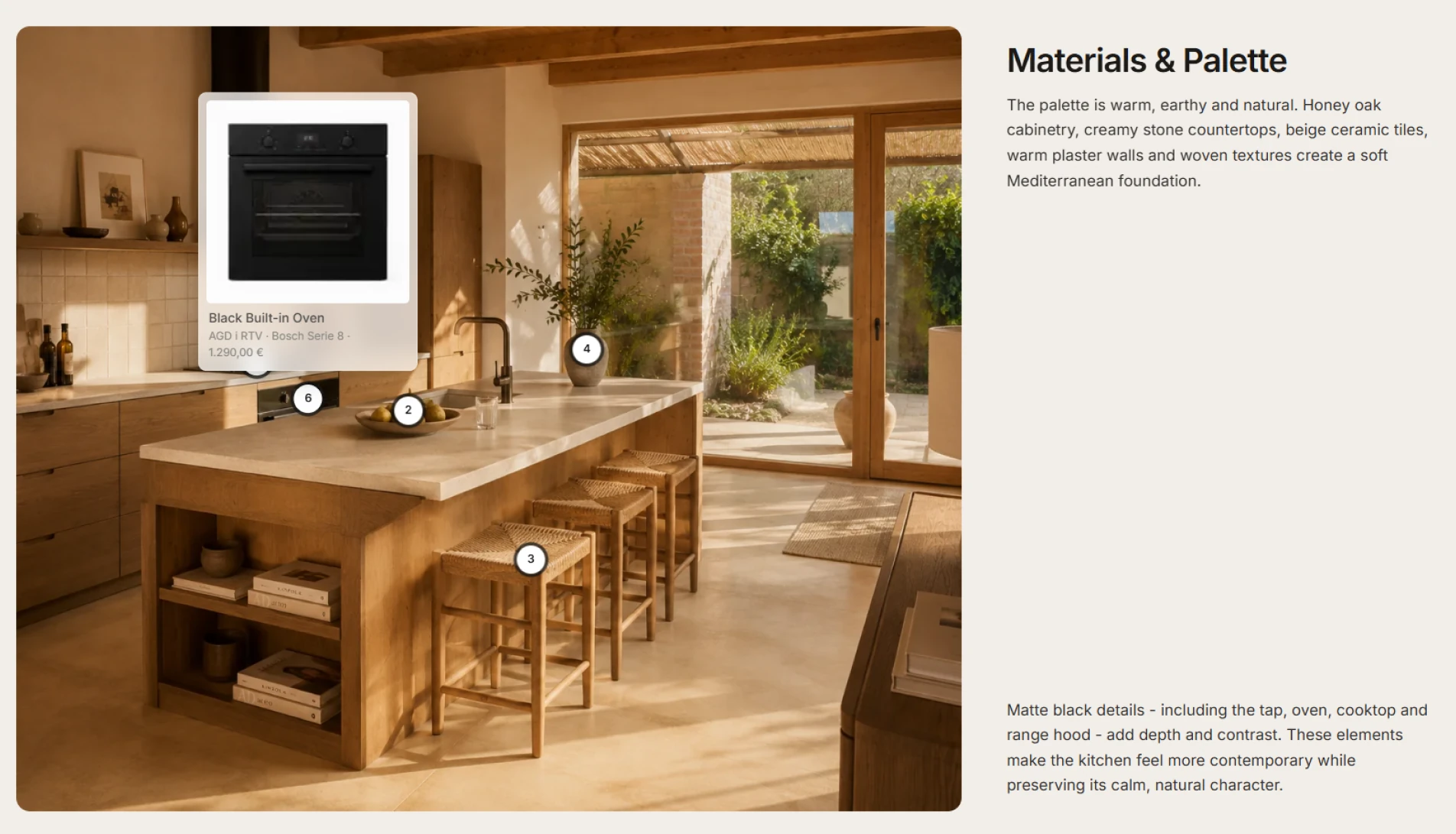
Products, including those saved straight from an online store with the Chrome extension, go into rooms, presentations and the cost estimate. The client gets a private project portal, opened with a link and a PIN, without creating an account. There they review the brief, moodboard, presentation and cost estimate, and approve specific products and line items.
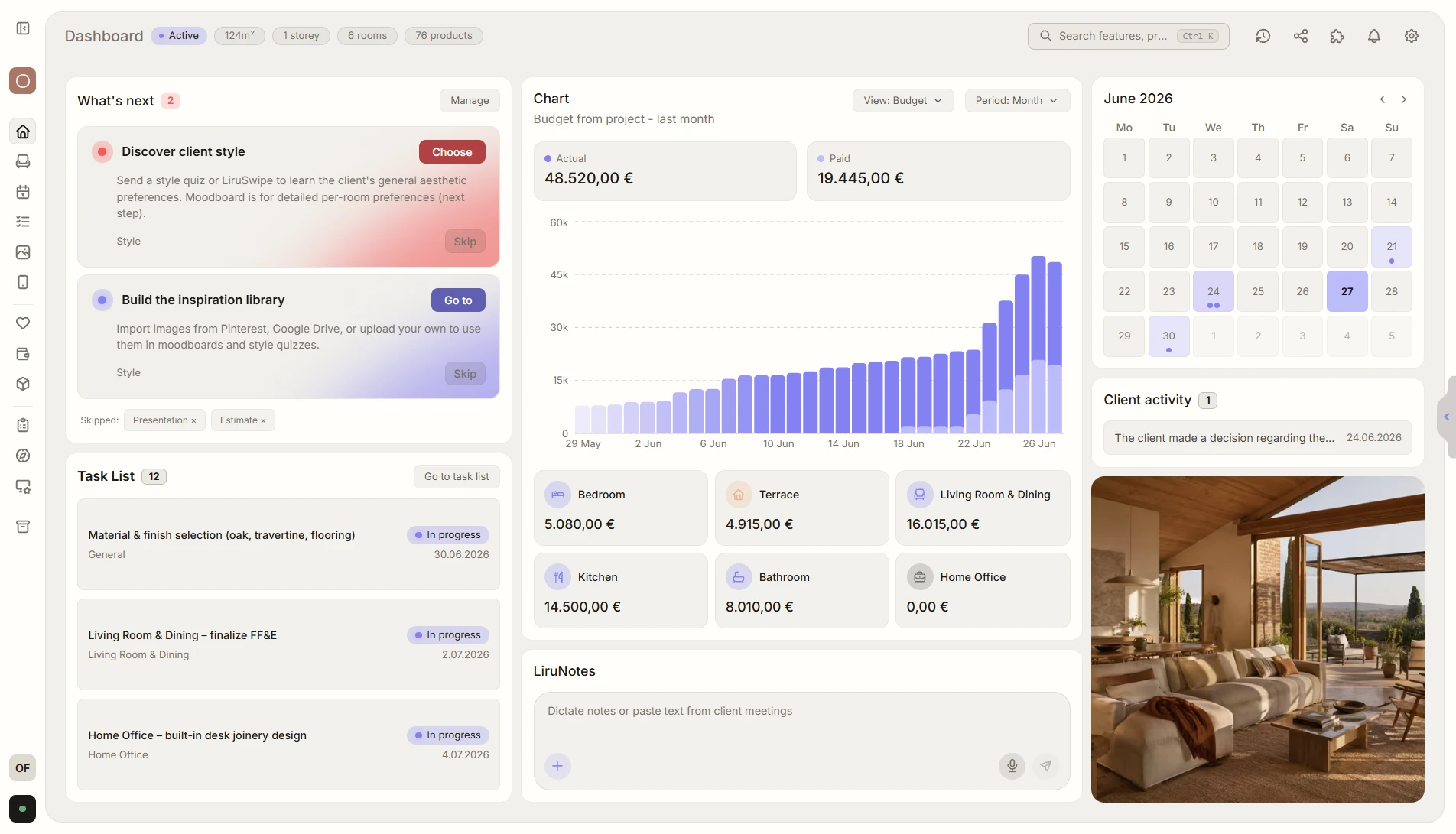
Every decision goes into the history, and the “What’s next” widget on the project dashboard suggests the designer’s next step.
Client portal
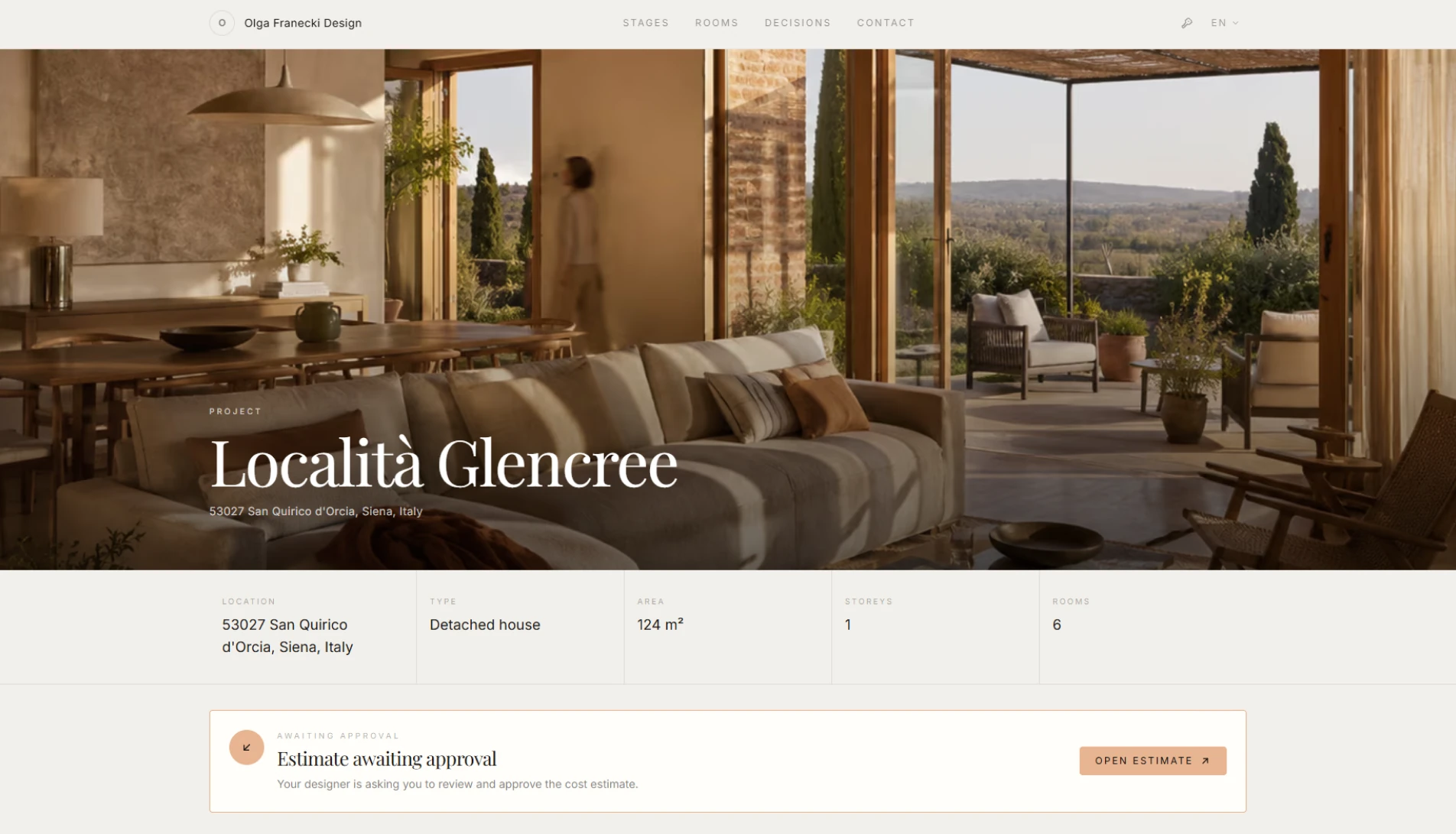
Project materials and client decisions under one link
The client opens a link with a PIN and immediately sees what stage the project is at, what’s waiting for their decision and what the next step is.
- approval of visualizations, products and the cost estimate in one place
- decision history: who approved what, and when
- studio branding, documents with comments and meeting requests
- works on phones, in four languages
Cost estimate
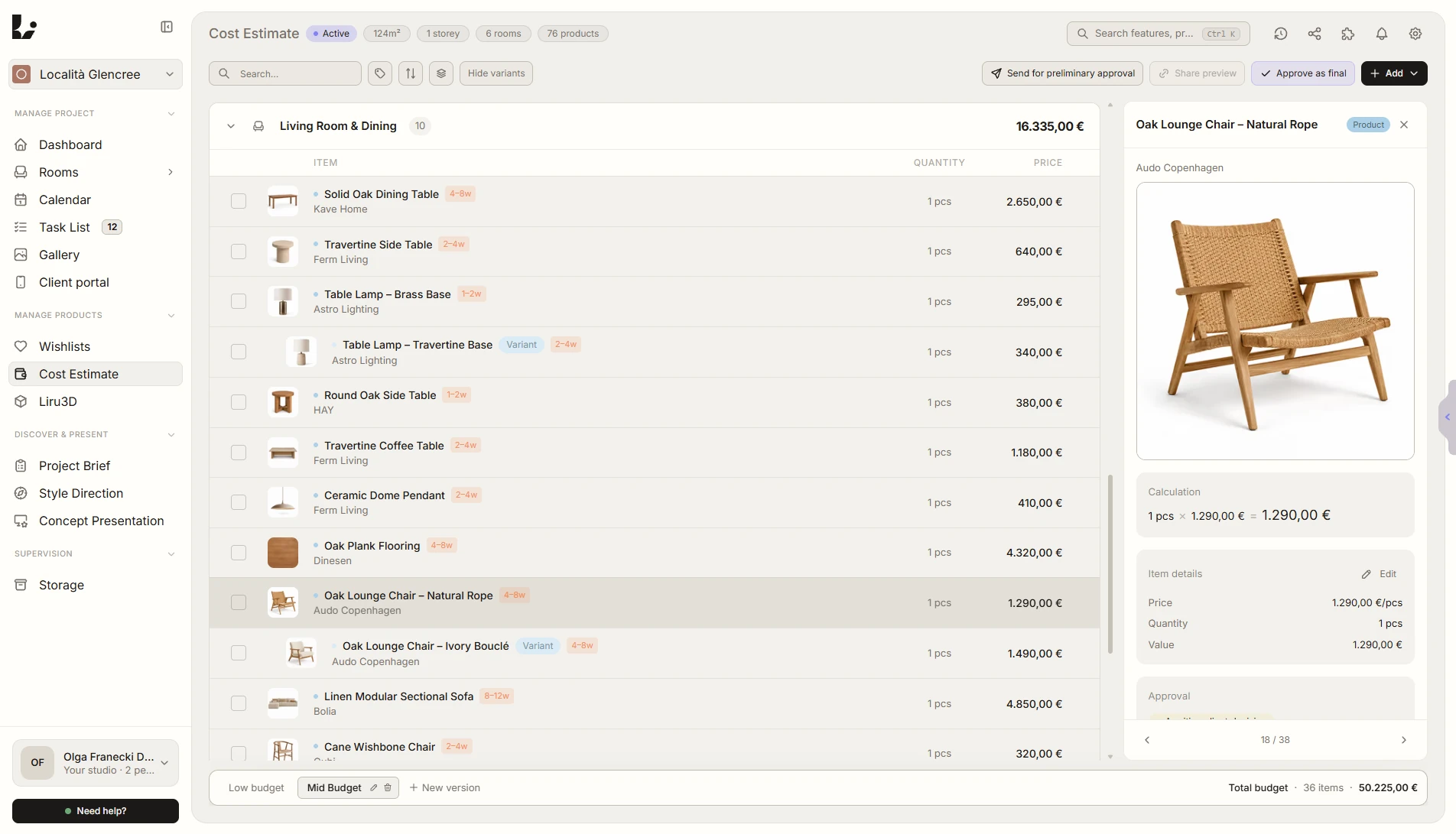
A cost estimate approved line by line
Products, materials and labor in one versioned cost estimate. The client first gives preliminary approval to the whole, then final approval to each line item.
- cost estimate import from Excel, and product variants
- client comments on line items
- after approval, a shopping list with order and payment statuses
- export to PDF and CSV, with a choice of products
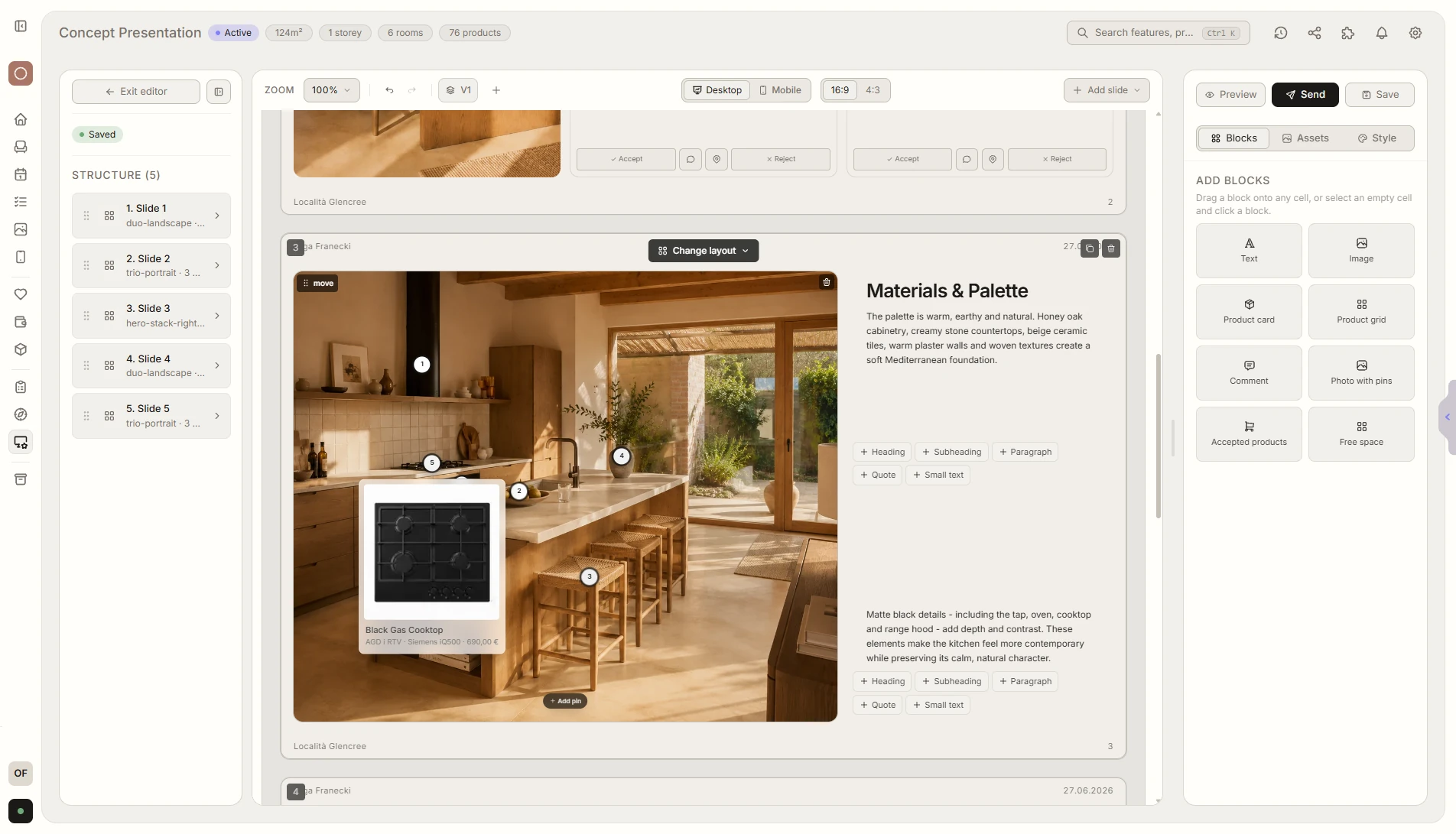
Presentations
Presentations designed like in a graphics editor
Sections in 16:9, 4:3 or 3:4, with guides, a grid, rotation and cropping. Slides hold renders, floor plans, colors, materials and products with pins.
- the client decides right at a specific product or render
- a “Before sending” screen and a “What the client sees” preview
- link and QR code, presentation versions, export to PNG, JPG and PDF
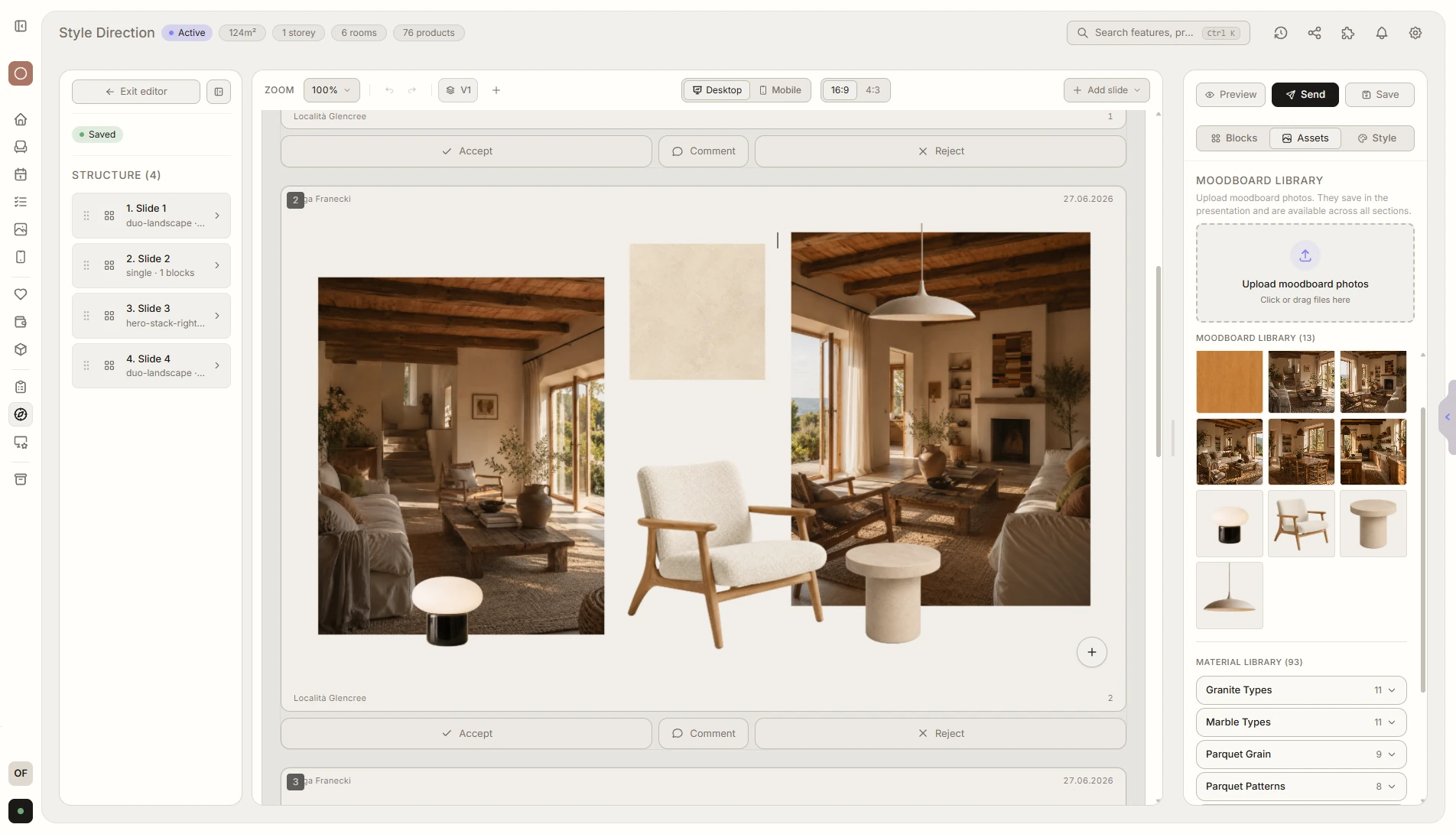
Client style
Brief, quiz and moodboard before the presentation
One brief with general questions and a section for each room, which can be imported from a file or from Google Forms. The style quiz and moodboard are made in the same editor as presentations.
- brief templates and import of ready-made questions
- moodboards from products: background removal and a color palette
- client ratings and comments on images
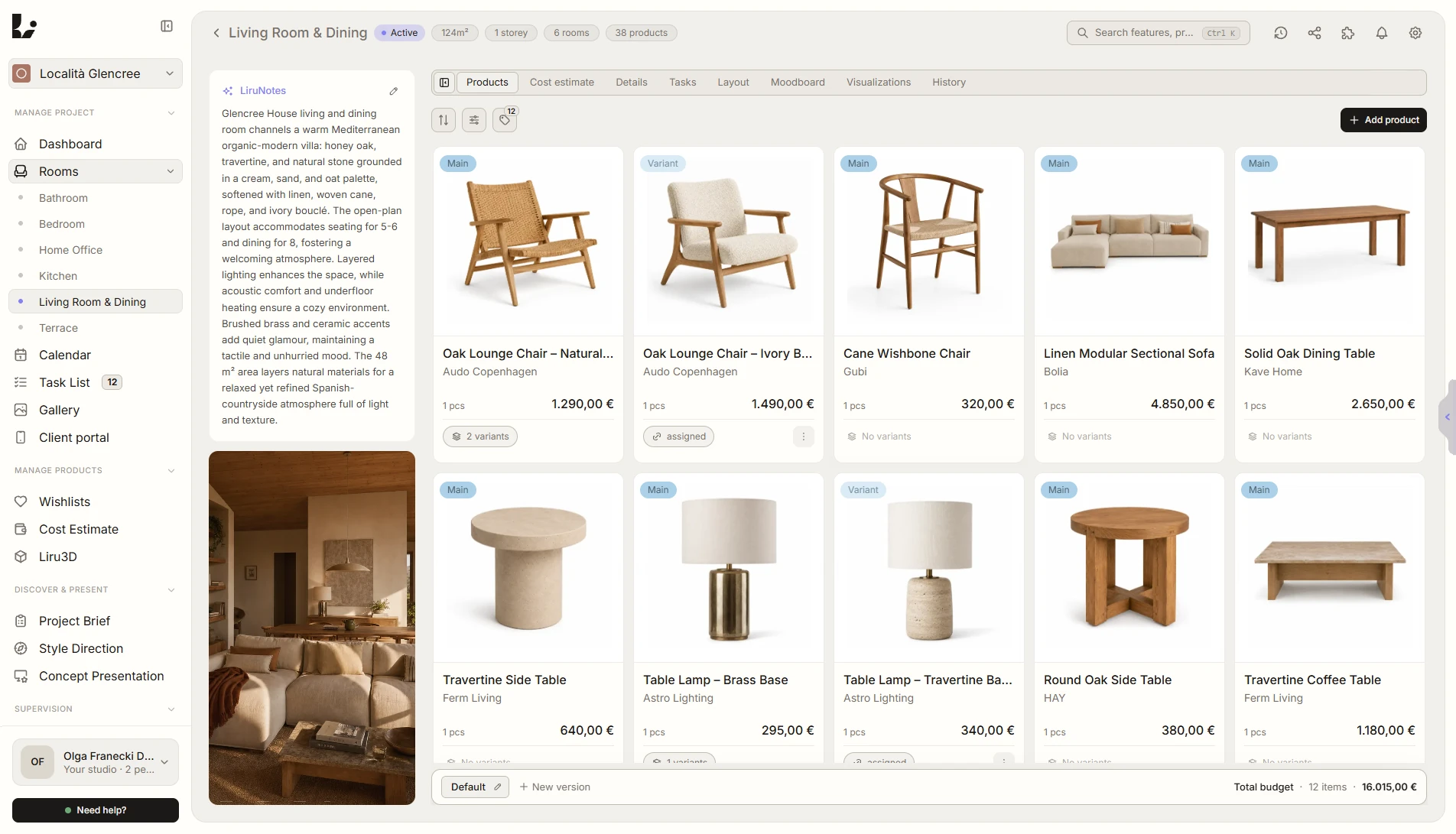
Rooms and products
Every room has its own products, budget and history
Products with variants, details, tasks, the moodboard and visualizations sit in the room’s tabs. The Chrome extension saves a product from an online store straight to a room, a wishlist or the cost estimate.
- product variants and a budget for every room
- wishlists as product libraries, with a link for the client
- LiruNotes: from a note, including a dictated one, AI suggests project data, rooms and questions for the client, and the designer approves them
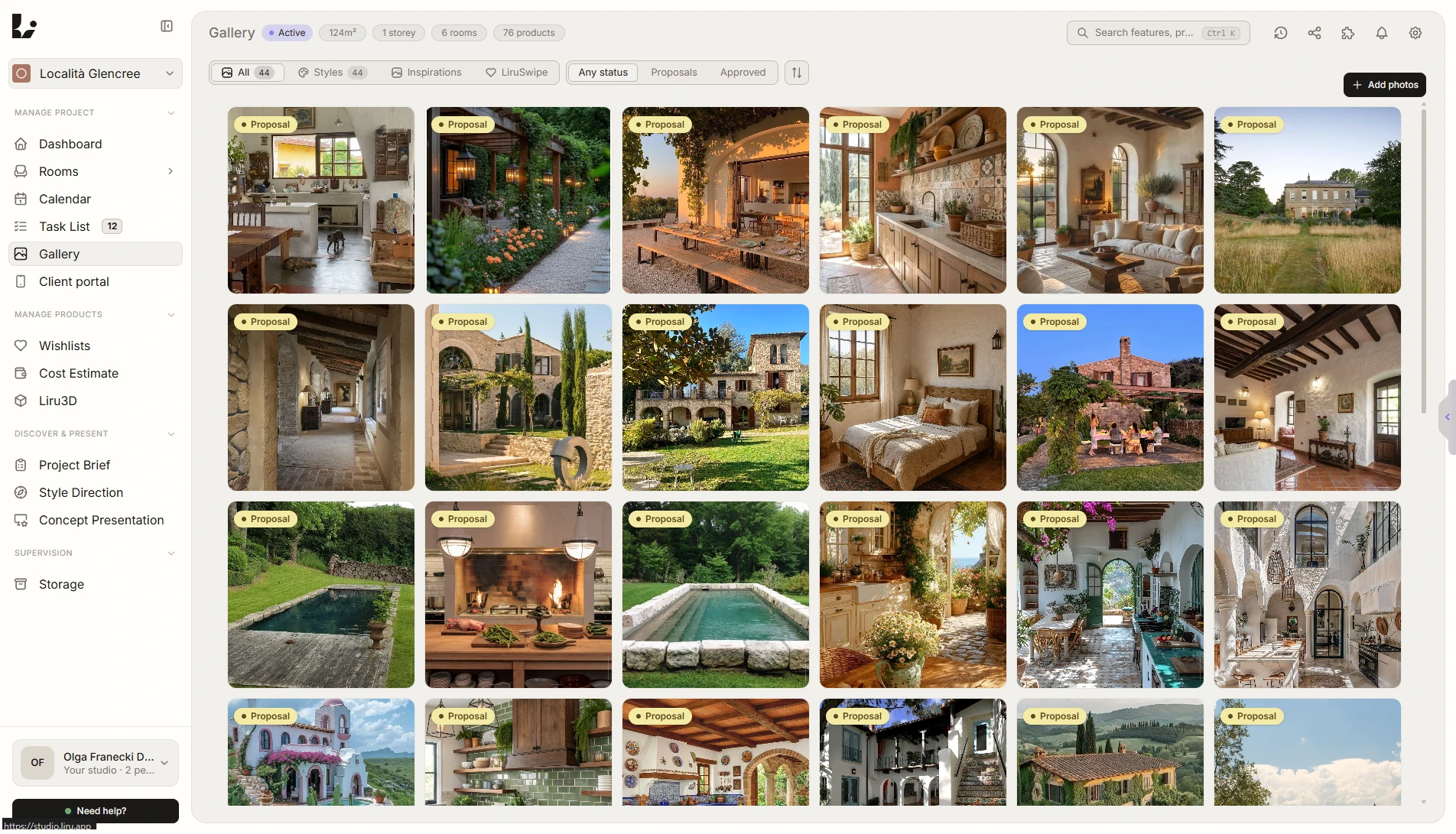
Gallery and storage
Inspiration, renders and files in one place
The gallery collects inspiration along with folders for visualizations, floor plans, quizzes, moodboards and presentations. Documents live in Storage, and a folder shared in the portal picks up new files on its own.
- import from Pinterest, Google Drive and the Chrome extension
- client decisions shown on the tiles
- Storage folders shared in the portal
03
Six stages of project work
The project follows six stages:
- Discovery
- Style
- Products
- Presentation
- Cost estimate
- Execution
Project status is shown on the dashboard and in the client portal. Style, products, presentation and cost estimate can be skipped if the project does not need them. “What’s next” suggests tasks based on the project data and recorded decisions.
04
Engineering and technology
Technology. Next.js 16 and React 19, PostgreSQL via Prisma, Supabase authentication, files in Cloudflare R2, Stripe payments and subscriptions, and translations with next-intl.
Working with products and notes.
- Chrome extension: capture product details from an online store and suggest a category.
- LiruNotes: a pasted, dictated or uploaded note turned into suggested project data.
- Background removal for product photos and AI-generated product descriptions.
Checking changes. The repository includes Vitest unit tests and Playwright browser scenarios. CI runs type checks and unit tests for main-branch changes and pull requests. Security is examined in separate code reviews.
05
Decisions we made along the way
While developing Liru, we focused on how designers share materials and collect client decisions.
A portal without a separate client account.
The client opens the shared project with a link and PIN. They do not need a designer account.
Decisions attached to specific materials.
Comments and approvals are attached to products, presentations and cost estimate items, so earlier decisions can be traced.
A shared editor for project materials.
Presentations, quizzes and moodboards use the same editor. We removed the separate functional layout stage from the project workflow.
A free plan for up to 5 projects.
The Free plan includes up to five projects with no time limit. New accounts get 30 days of Pro features.
06
What this means for you
We use the same process on client projects.
We first establish who will use the app and what they need to do. Then we design the screens, build the agreed scope and check that it works. Further changes follow product usage and conversations with users.